Everything You Need to Know
Explore comprehensive guides, features, screenshots, and more in an organized way
Macro Recording
Record complex button sequences and execute them with a single press. Perfect for combo moves in fighting games.
Gyro Controls
Map gyroscope motion to mouse movements for precise aiming. Essential for competitive FPS gaming.
Trigger Modifiers
Adjust trigger sensitivity and create hair-trigger responses for faster shooting in competitive games.
Lightbar Themes
Choose from multiple lightbar color schemes or create custom RGB profiles that match your setup.
Deadzone Configuration
Fine-tune analog stick deadzones to eliminate drift and improve precision for your specific controller.
Rumble Intensity
Control vibration strength for each motor independently. Create custom rumble patterns.
Input Delay Reduction
Optimize polling rates and reduce input lag to the absolute minimum for competitive gaming.
Profile Hotkeys
Switch between profiles instantly using keyboard shortcuts. Perfect for streamers and content creators.
Analog Sensitivity Curves
Create custom sensitivity curves for analog sticks. Linear, exponential, or create your own curve.
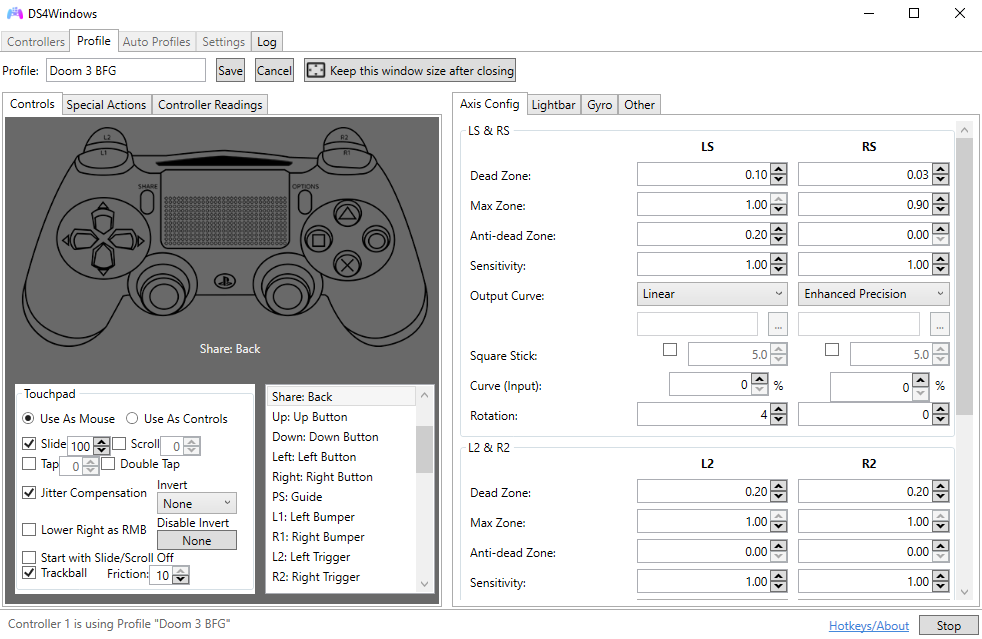
Controller Management
Real-time controller status and configuration interface.
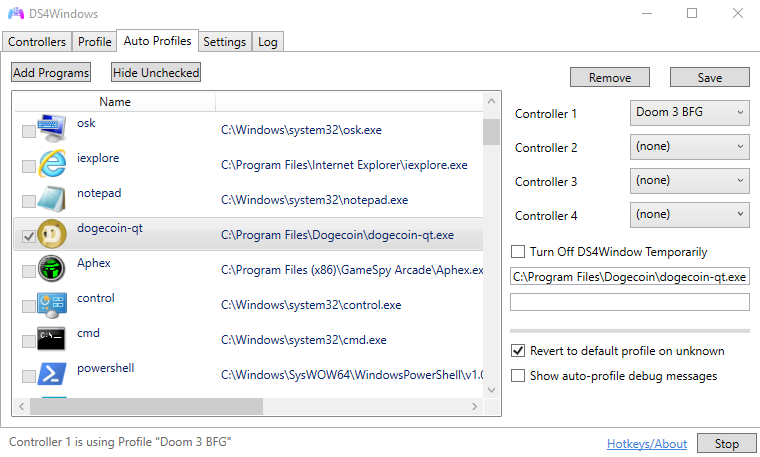
Auto Profile Switching
Automatically load profiles based on running applications.
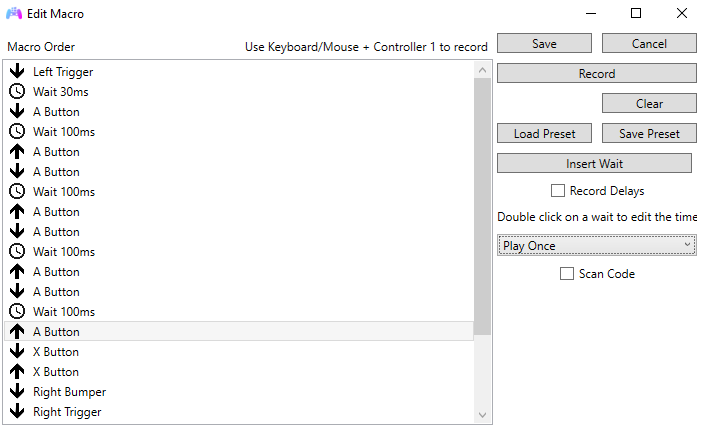
Macro Editor
Record and edit complex button sequences with timing control.
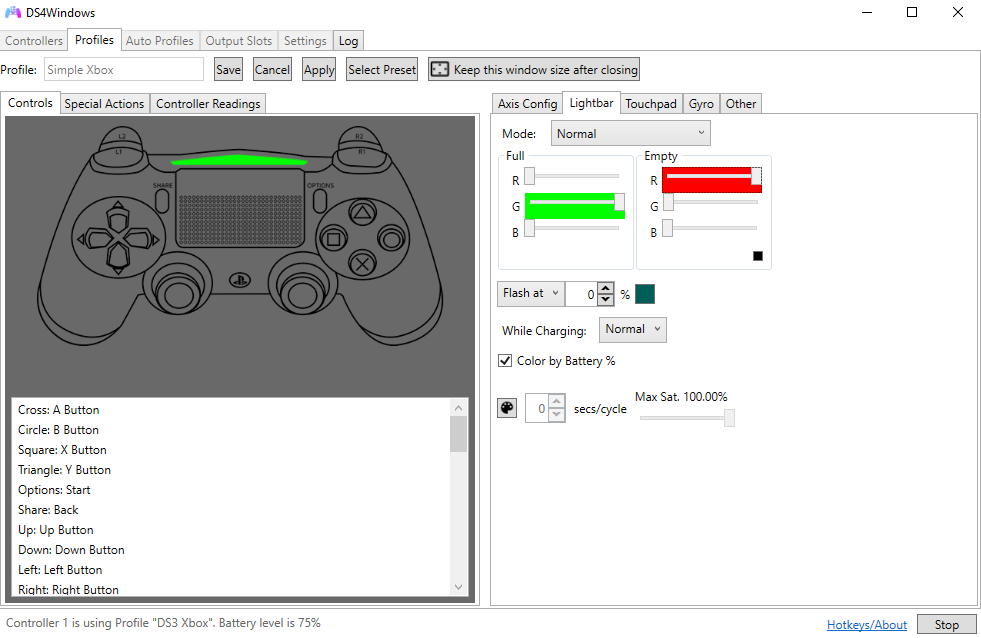
Lightbar Customization
Full RGB control with battery-based color transitions.
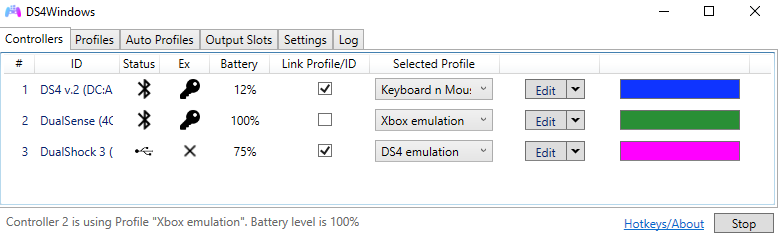
Multiple Controllers
Support for up to 4 controllers simultaneously.
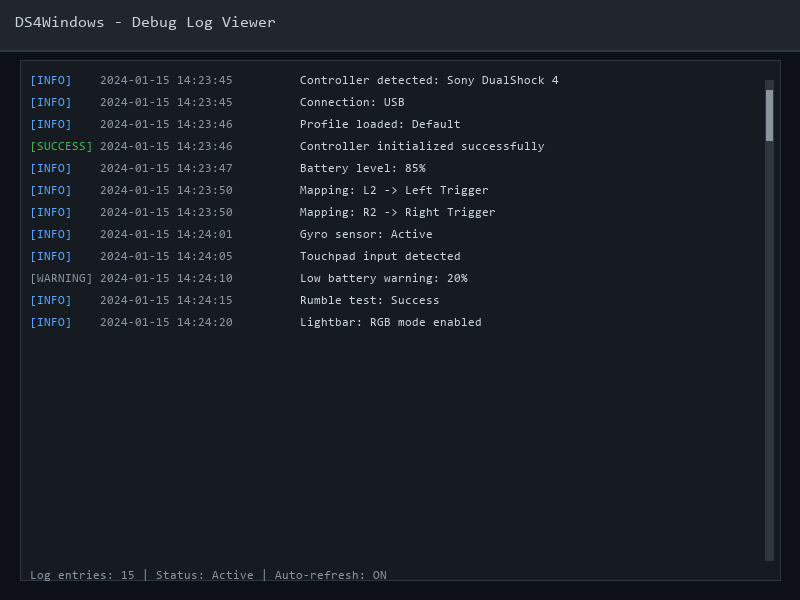
Debug Logs
Comprehensive logging for troubleshooting connection issues.
Minimum Requirements
- OS: Windows 7 SP1 or later
- CPU: Dual-core processor (1.5 GHz or faster)
- RAM: 2 GB available
- Storage: 50 MB free space
- Bluetooth: Optional (for wireless)
Recommended Requirements
- OS: Windows 10/11 (64-bit)
- CPU: Quad-core processor (2.0 GHz+)
- RAM: 4 GB or more
- Storage: 100 MB free space (SSD recommended)
- Bluetooth: Bluetooth 4.0+ adapter
Additional Requirements
ViGEmBus Driver - Required for Xbox 360 emulation
USB Port - For wired connection
Admin Rights - For driver installation
Version 3.3.0
January 2024 • Updated December 2025- Added DualSense adaptive trigger support
- Improved Bluetooth stability and connection speed
- Fixed memory leak in profile switching
- Updated ViGEmBus driver to latest version
- Added support for Switch Pro Controller rumble
Version 3.2.8
November 2023- New UI theme system
- Enhanced macro editor with loop support
- Fixed touchpad sensitivity issues
Version 3.2.5
September 2023- Added gyro-to-mouse mapping
- Profile import/export functionality
- Improved multi-controller support
Reduce Input Lag
Enable "Exclusive Mode" in Settings > Controllers to reduce input latency by bypassing Windows input processing.
Pro TipMonitor Battery Life
Set lightbar colors to change based on battery percentage. Red when low, green when charged.
Pro TipTouchpad Precision
Adjust touchpad sensitivity in Settings. Lower sensitivity for precise desktop navigation, higher for gaming.
Pro TipQuick Profile Switch
Assign keyboard shortcuts to profiles. Press Ctrl+1, Ctrl+2, etc. to instantly switch between game profiles.
Pro TipMultiple Controllers
DS4Windows supports up to 4 controllers. Perfect for local multiplayer sessions with friends.
Pro TipAuto-Start with Windows
Enable "Start Minimized" and "Minimize to System Tray" for seamless background operation.
Pro TipDiscord
Join our community Discord server. Get help, share profiles, and connect with other users.
Join Discord →YouTube
Watch tutorials, setup guides, and advanced configuration videos from the community.
Watch Videos →